






Ready to try BrandSKU?

You've probably seen the pitch: sell on Facebook, ship from a supplier, pocket the difference. Facebook dropshipping really can work in 2026—but only if you know what the platform quietly rewards and what it punishes.
This guide skips the fluff. You'll learn how to set up right, pick products that actually sell, meet Facebook's strict shipping window, and handle the moment your account gets flagged.
Start smart from day one, and you won't be one of the sellers wondering where their listings went.
What Is Facebook Dropshipping?
Facebook dropshipping is when you list products on Facebook Marketplace or Facebook Shops, but a supplier ships the order after a buyer pays you. You keep the margin between what the customer pays and what the supplier charges.
The catch most guides skip: Facebook doesn't call this "dropshipping" anywhere in its policies. What Meta actually cares about is that you deliver on time, use real tracking, and own the customer relationship.
If you meet those three, you're fine. If you copy-paste AliExpress listings and ship in three weeks, you're not—regardless of what you call it.
That's why Facebook dropshipping is less about the model and more about execution speed.
What Facebook Allows (and Doesn't) for Dropshipping
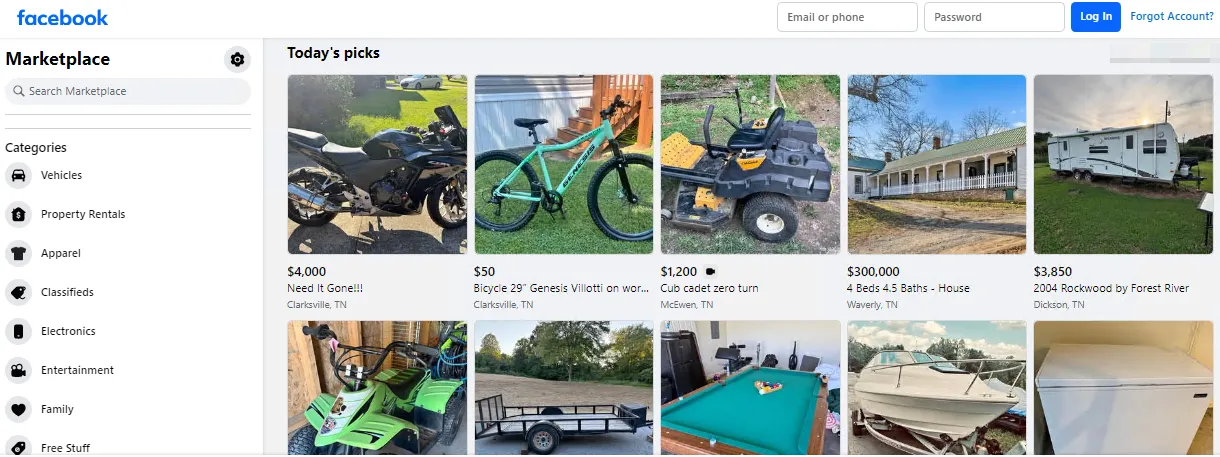
Here's something most guides won't tell you: Facebook doesn't ban dropshipping, but it also doesn't mention it by name anywhere in its commerce policies. That leaves a gray zone where sellers assume they're safe—until their account gets flagged.
What Facebook actually cares about is the buyer experience. As long as products arrive on time, match the listing, and get real customer support, you're operating within the rules.
What's allowed
- Sourcing from a third-party supplier and shipping straight to the buyer
- Selling without holding inventory
- Using fulfillment tools like Spocket, Zendrop, or CJ Dropshipping (US warehouse)
- Listing on both Marketplace and Facebook Shops at the same time
What's not allowed
- Fake brand names, stolen product photos, or shipping windows you can't hit
- Copy-pasted AliExpress listings with 2–4 week delivery
- Restricted categories: weapons, supplements, adult items, live animals, digital downloads, counterfeits
- Marking orders as shipped without a valid tracking number within 3 business days
The catch that sinks most new sellers isn't in the written policy at all—it's the algorithm. Facebook's system quietly limits reach for sellers who ship late, get too many refund requests, or receive low buyer ratings. You often won't get a warning email. Your listings just stop showing up.
The takeaway: treat Facebook's unwritten performance rules as the real policy, and the written ones become easy to follow.
How to Dropship on Facebook Marketplace
Set Up a Seller-Ready Facebook Account
Use a real profile with a full name, photo, and some posting history. Brand-new accounts get flagged fast.
Then head to Marketplace, open Commerce Manager, and add your payout details—bank account, tax info, and shipping address. Skip any of this and Facebook won't release your money.
Pick Products That Fit the Platform
Marketplace shoppers want practical stuff at fair prices, not luxury or trend-chasing items. Look for products that are:
- Under $70 (impulse-buy range)
- Easy to ship in a small box
- Not restricted (no supplements, weapons, or knockoffs)
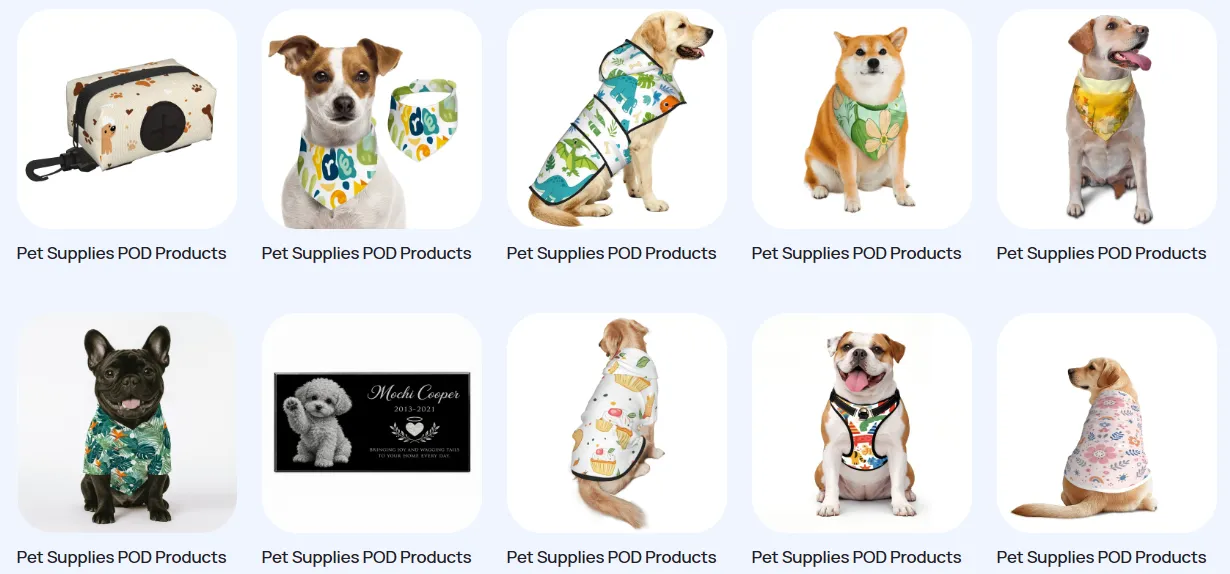
Home goods, pet supplies, and car accessories tend to move the fastest. If you're not sure where to start, a product sourcing service can help you test winners without committing to bulk inventory.
Source From a Reliable Supplier
Skip AliExpress for this one—shipping times will kill your account. Use US-based suppliers or a dropshipping fulfillment service that can guarantee 3-day tracking generation.
Confirm they can generate valid tracking numbers within 3 business days, because Facebook checks.
Create Listings That Actually Convert
Take your own photos when possible, or edit supplier images so they don't look stock. Write titles the way buyers search—"stainless steel dog bowl" beats "premium pet feeder."
Keep descriptions short, honest, and include size, material, and shipping window. Clear listings get more clicks.
Fulfill Orders Fast and Track Everything
When an order comes in, place it with your supplier the same day. Mark it as shipped inside Commerce Manager and paste the tracking number right away.
Late shipments trigger Facebook's performance filters, which quietly hide your listings before you even notice.
How to Meet Facebook's 3-Day Shipping Rule
The rule sounds harmless until it bites you: three business days to mark the order shipped with a working tracking number. Blow past it a few times and Facebook stops showing your listings. No email, no warning, just silence and dropping sales.
Stop Using Suppliers That Can't Keep Up
If your supplier is in Shenzhen and your buyer is in Ohio, the math doesn't work. AliExpress labels usually take 5–7 days just to hit their first scan. For Facebook, that's already a strike.
US-warehouse suppliers—Spocket, BrandSKU, CJ's US inventory, or private-label 3PLs—can drop off a scanned package the same day you place the order.
Match the Carrier Facebook Trusts
Facebook's tracker only speaks four languages fluently: USPS, UPS, FedEx, and DHL. Anything else—Yun Express, 4PX, whatever generic label your overseas supplier prints—may deliver fine but shows up as "no updates" in Facebook's system.
To the algorithm, no update means no shipment. Ask suppliers which carrier they hand off to before you commit.
Don't Fake a Tracking Number to Buy Time
Uploading a random number from an old order buys you maybe 48 hours before Facebook flags it. This is one of the fastest ways to get banned outright—not shadowbanned, banned.
If a supplier fails you, the honest move wins: message the buyer, offer a small discount or freebie, and eat the margin. Losing $8 beats losing an account.
Watch for Stalled Tracking, Not Just Late Shipments
A package that stops scanning for two days looks the same to Facebook as one that never shipped. It happens more than you'd think—rural routes, weekend gaps, a missed scan at a hub. Build a habit of checking open orders once a day.
If something's stuck past 48 hours, message the buyer first. Buyers who feel informed almost never file complaints; buyers who feel ignored always do.
Automate the Boring Part
The single most common reason sellers miss the 3-day mark isn't supplier delay—it's forgetting to paste the tracking number into Commerce Manager.
Tools like AutoDS or DSers sync tracking automatically from your supplier's dashboard to your Facebook listings. Set it up once and you remove the biggest human failure point in the whole workflow.
What to Do if Facebook Flags or Bans Your Account
Getting flagged rarely comes with a clear explanation. One morning your listings have views, the next morning they don't—or Marketplace access is just gone. Here's how to figure out what happened and what actually works to recover.
Tell the Difference Between a Shadowban and a Full Ban
Before you panic, figure out which one you're dealing with—the fix is different.
- Shadowban: Listings still exist, but views crash to near zero overnight. No warning message.
- Full ban: Marketplace access is blocked, and you'll see a red notice in Commerce Manager.
Check both your Commerce Manager and Marketplace tab to confirm.
File the Appeal the Right Way
For shadowbans, there's no appeal button. Stop the behavior that triggered it and wait 2–4 weeks. For full bans, go to your Support Inbox and request a review with a short, calm message—no long explanations, just ask for the specific reason.
Understand What Meta's AI Is Actually Watching
Meta's system flags patterns, not people. Common triggers include:
- Listings posted too fast in a row
- Identical descriptions across multiple accounts
- Sudden, large price changes
- Buyer messages left unanswered for days
If your workflow looks automated—even when it isn't—the algorithm treats it as spam. Slow down and reply to messages within a few hours.
Don't Trigger the IP and Device Fingerprint
Meta ties your account to a device fingerprint: browser, IP address, and hardware combined. Logging in from three different WiFi networks in one day, or constantly switching devices, looks suspicious. Pick one device and one network per seller account and stick with it. Consistency looks human. Chaos looks like a bot farm.
Think Twice Before Running Multiple Accounts
Multiple profiles are against Facebook's terms, and getting caught means losing everything at once. Sellers who do it anyway rely on:
- Anti-detect browsers like Multilogin or Dolphin
- Dedicated residential proxies (one per account)
- Separate payment methods and email addresses
It's not cheap, and it's not risk-free. If you're new, skip it and focus on keeping one clean account healthy.
Rebuild Your Standing After a Warning
If Facebook lets you back in, don't rush to relist everything. A slow, clean restart works better:
- Post a few items, not dozens
- Ship every order fast with real tracking
- Ask happy buyers to leave ratings
- Reply to every message, even the annoying ones
Your seller performance score takes 30–60 days of clean activity to recover. Treat that window like probation.
Expert Tips
Facebook dropshipping rewards the sellers who play the long game. Ship on time. Answer messages. Keep listings honest. That's the whole formula.
You don't need a big budget or a warehouse—just one healthy account, a supplier who can hit 3-day tracking, and the patience to build up your rating one order at a time.
Skip the shortcuts and focus on the basics. A strong seller score takes weeks to build and one bad month to lose. Your first sale is closer than you think.
FAQs
Do you need a business account to sell on Marketplace?
No, a personal profile works for casual selling. But once you start dropshipping regularly, switching to a business account through Commerce Manager unlocks payouts, tax forms, and access to Facebook Shops.
Which products sell fastest on Facebook Marketplace?
Practical, low-priced items move quickest—think pet gear, kitchen gadgets, car accessories, and home organizers. Anything under $70 that solves a small daily problem tends to grab impulse buyers scrolling through the app.
How much does Facebook take from each sale?
Facebook charges a 10% selling fee on shipped Marketplace orders, capped at $0.40 for items under $8. Payment processing is included, so what you see deducted is usually all you'll pay.
How soon can you expect your first order?
Most new sellers see their first sale within one to two weeks if pricing and photos are solid. Slow starts are normal—Facebook needs time to test your listings before pushing them to more shoppers.
Share article


Written by

Retail analytics background | Follows e-commerce trends closely | Digging into what small sellers actually need



 Early access

